I Vibe-Coded a Basic Self-Hosted Google Analytics Alternative on AWS Serverless
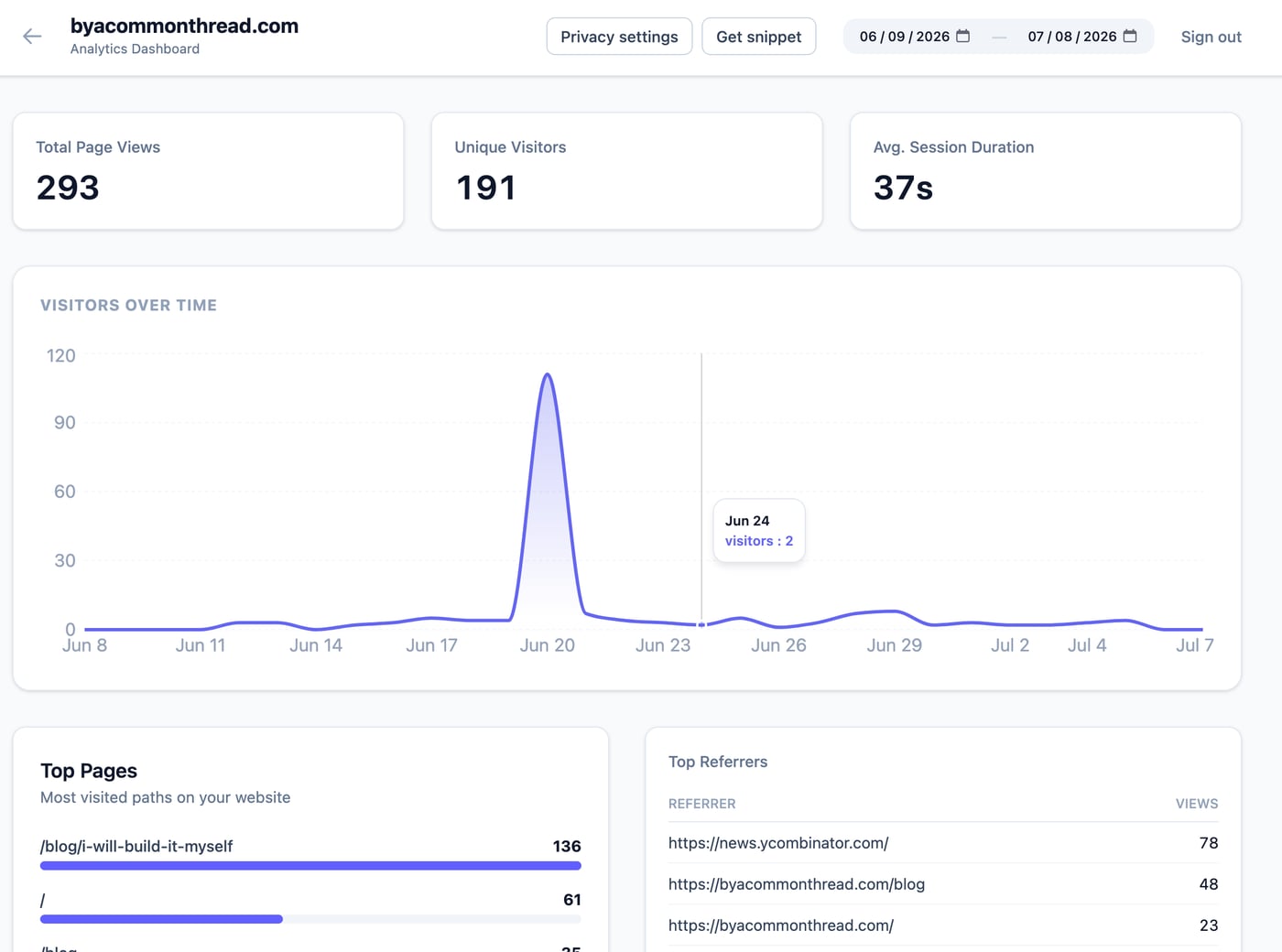
I’ve used Google Analytics on plenty of prior projects. I’d like to see if people are even visiting this blog and I was curious if I could build my own. So I took a swing at it. Or rather, Gemini/ChatGPT/Claude took a swing at it.
I gave some guidance, laid down some ground rules, and gave the LLMs some reference apps and terraform modules to review. I have some specific patterns I like to follow.
- Build it in AWS
- Stateless, cloud-native, low cost
- Multi-tenant
- Keep extensibility in mind as you build
I could’ve built something specific, but I really want something that can be reused. So multi-tenancy was required.
I stick with AWS and cloud-native architecture because it’s cheap and easily scalable. If you build things right it’ll be free for a long time before costs scale linearly with use. It’s not like I’m planning on lots of use, but it’s nice to have things “just work” and to not have to worry about scaling. With this architecture, scaling doesn’t really become a concern until much larger scales.
The Architecture
Here is the setup I landed on. It’s completely serverless, stateless, and runs on a “zero idle cost” model—meaning if no one visits the site, it costs basically nothing.
Here’s the lifecycle of a tracking event:
- The Tracker: A simple JavaScript tracker runs on the client. It grabs basic stats—like page views, screen size, and referrers—and POSTs them to a public endpoint. There are no tracking cookies. I made a deliberate choice to keep this completely cookie-less to respect visitor privacy and avoid the GDPR banner headache.
- The Pipeline: API Gateway routes that POST to an ingest Lambda, which immediately pushes the payload to Kinesis Data Firehose. Firehose batches and serializes the incoming hits, dropping them as Parquet files into an S3 data lake. The data is partitioned by
site_id,year, andmonthto keep queries fast and scope limited. - The Queries: Instead of paying for a database server to sit idle 24/7, I query S3 directly using Amazon Athena. When the dashboard requests stats, it hits the endpoint. The Lambda behind it takes the request and maps it to a whitelisted, parameterized SQL template, preventing any raw SQL injection.
- Auth & Security: The dashboard endpoints are secured. The Vue 3 dashboard redirects to a Cognito Hosted UI using OAuth + PKCE. Any request to get stats has to pass a custom Request Authorizer Lambda that validates the Cognito JWT.
All of this is provisioned with Terraform. It’s clean, cheap, and scales without me having to worry about patching servers or managing database capacity.
But let’s be honest about the “zero-ops” label. It’s zero-ops once deployed. Getting it to that state is the opposite of easy. Wrangling Terraform for custom Cognito Hosted UIs, ACM certificates, WAF rules, and cross-account IAM roles is a painful upfront integration tax. A tax that’s lowered when you have good patterns and terraform modules already built out, but a tax none-the-less. Once it’s running, it’s a set-and-forget serverless pipeline. But standing it up is definitely not a one-click process. Yet.
Adding some guardrails
But before putting this online for anyone to see, I realized I needed a few basic protections to keep some script kiddie from racking up a massive AWS bill or DDOSing my endpoint. I added a couple things:
- WAF at the door: I threw an AWS WAF Web ACL in front of the CloudFront distribution. For the public ingestion path specifically, it checks incoming requests against AWS’s managed IP reputation list (to instantly drop known bots/DDoS vectors) and enforces a rate limit of 2,000 requests per 5 minutes per IP. If you go over, you get a 403.
- API Gateway Throttling: As a global circuit breaker, I configured API Gateway’s route settings. I set a default route ceiling, but more importantly, a tight throttle specifically on the public ingestion routes (100 req/s rate, 200 burst). This ensures that even if someone floods the public ingestion pipeline, they can’t starve or take down the authenticated routes used by my dashboard.
Costs
This thing is super cheap to run. It’s serverless, doesn’t run on a VPC, and has no provisioned resources. Yeah, there are cold starts but I don’t care about that.
Unfortunately, the guardrail items drove my cost up from virtually $0 to $7/month (there are additional pennies due to S3 storage, ECR storage, DynamoDB storage, etc but most of those fall under the free tier at my scale). And that $7/month is basically paying for insurance that I won’t get any surprise bills because of malicious actors.
From here, costs will scale linearly. I have some dials and things I can tune (like turning off x-ray/Cloudwatch, lower/raising rate limiters, etc). And there’s a couple things I can further optimize if/when I need to (glue jobs to compact s3 files).
To keep costs from creeping up under normal use, I had to optimize for some specific AWS pricing traps:
- The Athena Margin Trap: Athena charges a minimum of 10MB scanned per query. If a user sits there spamming refresh or clicking back and forth on the dashboard, it adds up. I implemented a 60-second browser-side cache so the UI doesn’t hit the API on back/forward actions, and turned on Athena Result Reuse on the backend (set to 5 minutes) so repeat queries reuse cached S3 scans. Yes, the very first dashboard load of the day still takes 3 seconds while Athena warms up, but for a side-project dashboard I check once a week, I’d rather wait 3 seconds than pay $15/month for a database server to sit idle.
- The Small File S3 Trap: If Firehose flushes data to S3 every 60 seconds, you end up with thousands of tiny files. This slows down Athena and racks up S3 GET request costs. I bumped the Firehose buffering interval to 5 minutes (300 seconds) to bundle the data. I intentionally avoided AWS Glue compaction jobs for now. Glue has flat minimum hourly fees that would immediately kill my low baseline cost. But there is a scale where running an AWS Glue compaction job makes sense.
According to my rough estimates, I’m looking at $50/month or so at 10M events. And like I said, it scales linearly, so 100M events is around $500/month. With those optimizations I mentioned, at a higher scale, I could trim 20% or so from my costs. Since I don’t expect this app to become a real thing, I don’t think I’ll ever breach $15/month.
From “vibe coding” into production
Like I said, I threw Claude/Gemini/ChatGPT at this thing. They all did pretty well. I’m not putting a lot of effort into this, I got the LLMs to build it on the side while working on other projects simultaneously. It took very little cognitive load. I’d let the LLMs run free most of the time (and catch the fuck ups in the MR/PR).
But it still came down to well structured infrastructure modules, providing reference projects following similar patterns that I could point the LLM to, and my experience to guide it in the right direction.
There were some ridiculous choices the LLMs made as they built. Some of it could’ve brought trouble. I had to guide it to take into account GDPR and privacy restrictions, the initial client app had much deeper fingerprinting and ingestion stored raw ip addresses.
Instead, I guided it to implement a privacy-preserving hashing scheme. The ingestion Lambda takes the visitor’s IP (resolved behind CloudFront), anonymizes it (masking IPv4 to /24 and IPv6 to /48), and hashes it together with the User-Agent, the site_id, the current UTC date, and a server-side secret pepper. Because the date is in the hash, the visitor ID automatically resets every 24 hours. Because the pepper is server-side, it’s non-reversible. This lets me track unique daily visitors without storing a single byte of raw PII in S3 or dropping tracking cookies on your machine.
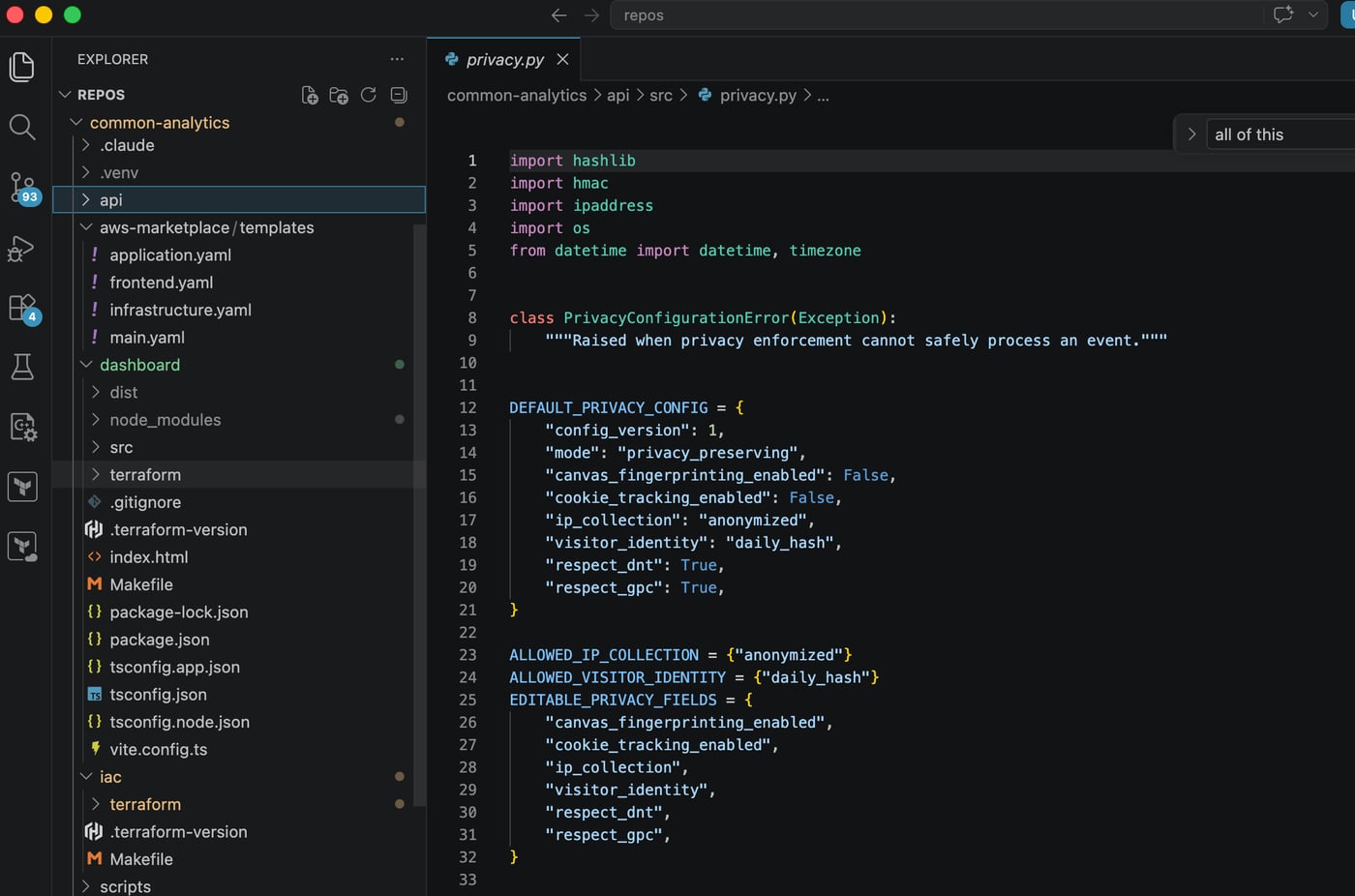
I also had to guide it to put in place the guardrails mentioned above now that I’m sharing this with the internet. Not to mention the tweaks to the dashboard and queries or the multitude of strange paths the LLMs wanted to go down where I cut them off at the pass.
What’s next?
Right now, I’ll keep tweaking it for my needs. I built it out with multi-tenancy in mind, in case I wanted to add a subscription SaaS. So I might add that.
But I also like the angle that I get to keep my own data with this stack. So maybe I’ll release it on Github/Gitlab and sell it on AWS Marketplace. If you can clone my repo and deploy it, free to use. It’s not like this app is special, I’m pretty sure it mostly follows some AWS reference documentation. If you can’t spin it up yourself you can buy it off the marketplace already packaged up ready for use. Now you own your analytics data, not Google.